
One project. Several providers.
Using OpenAI for one task and Anthropic for another? See their reported costs side by side instead of piecing together separate dashboards.
A consolidated spending overviewClarity for your AI spending
Different providers. Different billing pages. One clear view. Bring your AI costs together, understand your spending, and spot a month heading over budget.
No credit card required. No automatic charge.
Connect the providers you already use
Hourly refreshes · Provider reporting delays still apply
Built for the way you build
Whether you’re shipping a product or exploring your next idea, a clear spending overview helps you make your next decision.
Using OpenAI for one task and Anthropic for another? See their reported costs side by side instead of piecing together separate dashboards.
A consolidated spending overviewAgents, prototypes and daily workflows can add up. Follow daily totals and a monthly forecast as your usage changes.
Context for your next decisionSet a monthly target for your workspace or a provider. Get an email when reported costs reach 80% or 100% of that budget.
A heads-up before the next reviewFrom scattered costs to a clearer picture
Set a monthly budget for everything, or a separate target for each provider. Keep progress visible and choose whether you want email warnings.
A warning, not a spending limit. AiBill does not stop provider usage.
$2,480.60 of $3,000
Your workspace has reached 80% of its monthly budget.
A forecast based on recent reported costs helps you put today’s spending in context. It’s an estimate, not a promise about your next invoice.
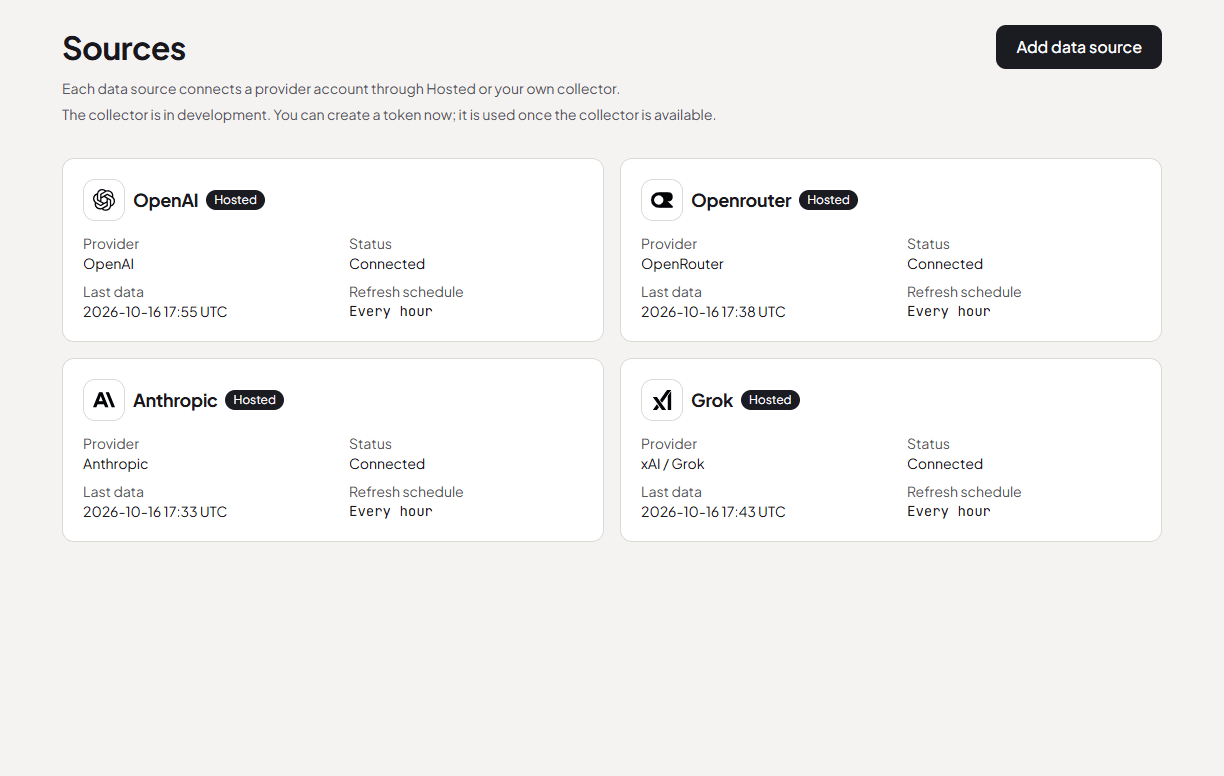
Hosted connections refresh every hour. See connection status and the last successful update, without running software on your computer.
A straightforward start
Choose a supported provider and follow the guided key setup. Permissions depend on the provider; the setup explains what is required.
AiBill fetches reported costs and brings them into one workspace. Review the history, breakdowns and forecast.
Add a monthly target and enable optional email warnings. Come back to a clearer picture as your providers report new costs.
An informed connection
Use a dedicated provider key and follow the setup instructions. OpenAI supports a restricted usage key; other supported providers can require broader administrative permissions.
For Hosted connections, your browser encrypts the key for AiBill’s fetching service. That service decrypts it to read costs. You can delete the stored key in AiBill and revoke it with the provider.
Read the privacy noticeSimple pricing
Try everything in AiBill Solo for 7 days. No card required, and your trial never turns into a paid subscription automatically.
The same features, whichever way you pay.
No automatic conversion. Choose a paid plan when you’re ready.
Prices in USD. Applicable tax is calculated at checkout. Provider API usage is billed separately. Choosing a paid plan during the trial starts billing immediately. Without an active subscription after the trial, updates and budget warnings pause; saved costs remain readable.
A few things worth knowing
AiBill supports Hosted connections for OpenAI, Anthropic, OpenRouter and xAI. Solo includes up to five connected provider accounts in one workspace. Required account access and key permissions differ by provider.
Hosted connections refresh every hour. Providers may publish or revise costs later, so an hourly refresh does not mean every hour of usage is already included. AiBill displays reported costs rather than a live usage meter.
No. Budgets track reported costs and can send email warnings at 80% and 100%. They do not pause your apps or enforce a spending cap at your providers. Each threshold is recorded once per month; changing a budget does not reset that history.
No. Hosted connections run the fetching service for you. The separate collector is still in development; you do not need it to use Hosted.
No. The seven-day trial does not require a card or turn into a paid subscription automatically. Choose monthly or yearly billing when you are ready. If you choose a paid plan during the trial, billing starts immediately.
Amounts in different currencies stay separate. AiBill does not convert or add them together. A budget tracks costs in its selected currency.
Your next project deserves a clearer picture
One workspace for the providers you use, the budgets you set, and the decisions ahead.
Start your 7-day free trial7 days free · No credit card requiredAiBill grows through actual use and tested improvements. Here’s what has shipped and what we’re working on.
Last updated
Follow the build